QUESTION 72
After defining a secret scanning custom pattern, what is the final step before publishing the pattern?
Defining a custom pattern for a repository [See step 6 below]
Before defining a custom pattern, you must ensure that Secret Protection is enabled on your repository.
1. On GitHub, navigate to the main page of the repository.
2. Under your repository name, click Settings. If you cannot see the “Settings” tab, select the dropdown menu, then click Settings.
3. In the “Security” section of the sidebar, click Advanced Security.
4. Under “Secret Protection”, to the right of “Custom patterns”, click New pattern.
5. Enter the details for your new custom pattern. You must at least provide the name for your pattern, and a regular expression for the format of your secret pattern.
*-> 6. When you’re ready to test your new custom pattern, to identify matches in the repository without creating alerts, click Save and dry run.
7. When the dry run finishes, you’ll see a sample of results (up to 1000). Review the results and identify any false positive results.
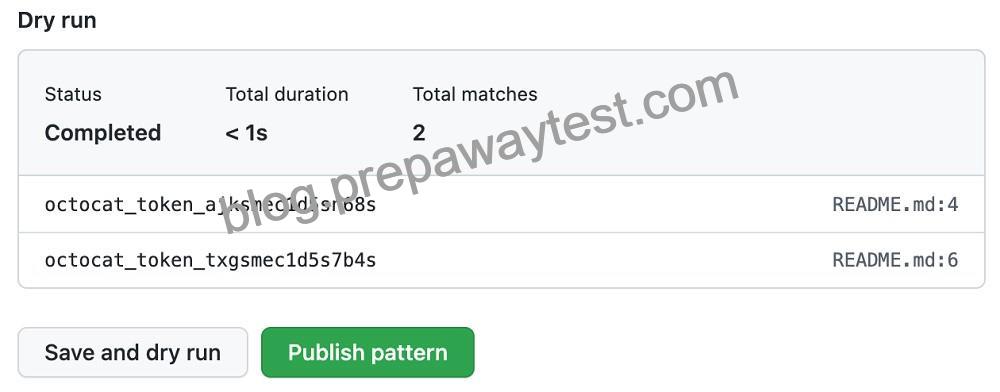
8. Edit the new custom pattern to fix any problems with the results, then, to test your changes, click Save and dry run.
9. When you’re satisfied with your new custom pattern, click Publish pattern.
10. Optionally, to enable push protection for your custom pattern, click Enable.
